
AI Image Generator: ImagineArt
ImagineArtArt & Design
4.29.94K Reviews
- Version
- 7.12.0
- Installs
- 10.00M
- Age Rating
- Teen
Screenshots
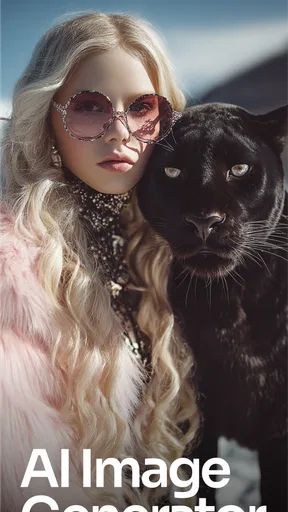
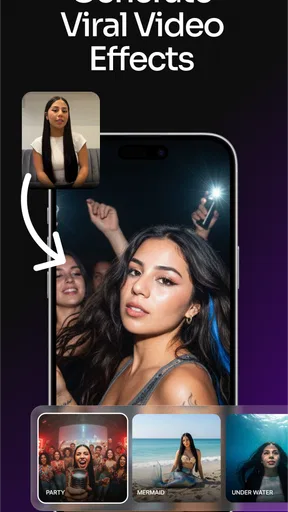
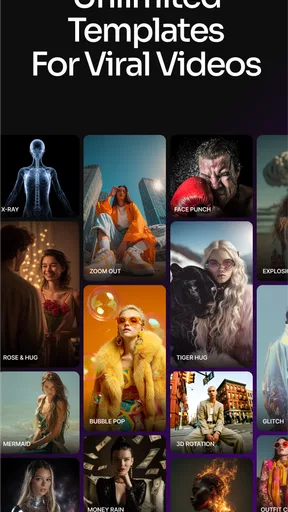
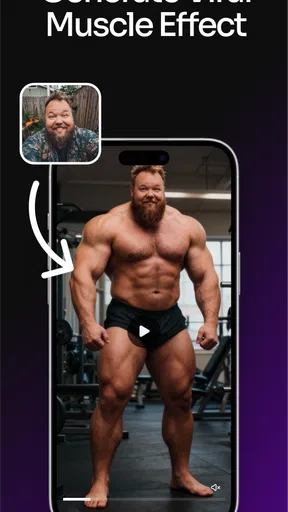
Our Review of AI Image Generator: ImagineArt
 Analysis by Appyee
Ever stumbled upon a picture and thought, "I wish I could create something just like that"? Well, say hello to ImagineArt, an app that promises to turn your creative dreams into reality. As someone who loves dabbling in digital art but isn't exactly a pro, I was pretty intrigued by what this app seemed to offer. Let's dive into my experience with this little gem.
I find AI image tools most useful when I treat them as sketch partners rather than finished-art machines. That distinction matters here: a generated image can give you a mood, layout, or visual direction, but it may not be ready for a client brief or a precise print without further checking. I would use it to get past a blank page, test a few visual routes, or make a personal concept image—not as a substitute for careful lettering, retouching, or production design.
That makes the app especially appealing to curious beginners, people making social posts, and anyone who wants to explore an idea without learning a full desktop design suite first. If you already rely on detailed layer control, exact typography, or repeatable brand templates, a conventional editor may still be the better place to finish. I see the strongest fit as a quick creative detour: generate possibilities here, then polish them elsewhere if the job calls for precision.
A First Look at ImagineArt
ImagineArt is all about harnessing the power of AI to generate stunning images. When I first opened the app, I was greeted by a clean, intuitive interface. It didn't take long to realize that the developers focused on accessibility, making it easy even for beginners like me to navigate through its features.
The home screen presents you with several options, from creating new images to exploring a gallery of AI-generated art. What caught my eye was the "Create" button. With a simple tap, I was prompted to enter a few keywords that described the image I had in mind. Think of it as having a conversation with a super talented artist who just happens to be a machine.
For a more useful prompt, I would describe the subject and the intended feel separately: for example, a quiet street scene with warm evening light, viewed from a low angle. If the first result is close but not quite right, changing one idea at a time makes it easier to learn which words affect the outcome. Rewriting the entire prompt after every attempt can make the process feel random, while small edits help you compare directions and keep the parts that are working.
There is also a practical question of where the image will be used. A portrait-shaped concept may suit a story post, while a wide composition could work better as a banner draft; deciding that before generating can save time. I would keep important text out of the image itself and add it later in an editor, because AI-created lettering can be unreliable. That small workflow choice is particularly helpful for logos, invitations, and promotional graphics, where a misspelled word can make an otherwise attractive result unusable.
The Magic of AI
Once you input your keywords, the magic happens. The app's AI engine kicks into gear, and within seconds, a unique image is ready for you. I tried entering "sunset over a futuristic city," and what popped up was nothing short of breathtaking. The AI managed to capture the essence of what I envisioned, blending colors and elements in ways I hadn't even considered.
But here's the kicker — you can tweak the results! The app offers sliders to adjust elements like color intensity, contrast, and composition. It's like having Photoshop on steroids but without the steep learning curve. For someone like me who loves experimenting, this feature was a goldmine.
Those adjustments are most valuable when used with restraint. I would first save a version whose overall composition works, then test a stronger or softer treatment rather than pushing every control at once. That gives you a useful comparison and helps prevent a promising image from becoming muddy or visually overworked. If the subject itself is wrong, I would return to the prompt instead of trying to rescue it with color or contrast changes.
A realistic everyday use would be planning a small birthday invitation for a friend. I might generate a playful garden scene to establish the mood, keep the image as a background, and add the date and readable wording in a separate design app. For a tattoo idea, I would treat the result as a starting reference to discuss with a tattoo artist, not as a finished stencil; small shapes and line details need a human eye before they go on skin.
That same separation helps with logo work. The app can help me explore whether a brand should feel playful, calm, or dramatic, but a usable logo usually needs crisp shapes, consistent versions, and lettering that remains legible at small sizes. I would use generated art to make a mood board or visual starting point, then rebuild the chosen idea in a vector-focused tool. The extra step is not a flaw so much as a sensible boundary between image generation and production-ready design.
Sharing and Saving Your Art
Once you're happy with your creation, ImagineArt makes it easy to save and share your masterpiece. The app supports high-resolution exports, which is perfect if you're looking to print your artwork or use it for a professional project. I found the sharing options particularly handy, allowing me to quickly post my creations on social media and gather instant feedback from friends and followers.
Before sharing, I would check the image at the size and crop where people will actually see it. A detail that looks convincing when zoomed in may disappear in a small profile tile, while a busy background can compete with a caption. For public or commercial use, I would also make sure I understand the current usage terms and any platform rules that apply to generated images; those are worth checking before relying on an image for a paid job.
The built-in gallery is useful for inspiration, but browsing other people's work can also make it tempting to chase a style rather than clarify your own brief. I get more from it when I look for one specific thing—a lighting idea, a color pairing, or a composition—and then write a fresh prompt around my own subject. That keeps exploration practical and reduces the risk of ending up with an image that feels like a close imitation of someone else's work.
It is a free app, though in-app purchases range from $5.99 to $799.99 per item, so I would explore the basic workflow before spending anything. The wide spread makes it especially sensible to check what an offer includes and whether it matches how often you expect to create. If you only need occasional concept images, a paid option may not be worthwhile; frequent users should compare the value against their actual workflow rather than assume that a higher-priced tier automatically improves every result.
Room for Improvement?
While ImagineArt is impressive, no app is perfect. One thing I noticed is that while the app generates images quickly, it might occasionally take a bit longer during peak times. It's not a huge deal, but something to keep in mind if you're in a hurry.
Another aspect that could use a little polish is the keyword sensitivity. Sometimes, the AI gets a bit too literal, which can lead to unexpected results. But honestly, even those surprises can be fun and often lead to happy accidents that spark new ideas.
There is a trade-off between speed and predictability in this kind of prompt-led process. If you need the same character, object, or layout to remain consistent across a series, generated results may take extra trial and comparison. For a one-off illustration, that looseness can be enjoyable; for a campaign with several matching assets, I would plan time for selection and editing instead of expecting every image to align automatically.
Access also depends on the situation. ImagineArt is a mobile app, so it is convenient when I have a spare moment on a phone, but long prompt-writing sessions and careful visual comparison can feel more comfortable on a larger screen. It is listed for devices running Android 8.0 or later, and its Teen content rating makes it more appropriate for teen and adult users than for young children. I would still guide younger users through AI imagery and online sharing rather than treating the rating as a substitute for judgment.
Making the App Easier to Use in Different Situations
The simple starting point lowers the effort needed to begin, but ease of use is not the same for everyone. On a small display, menus, controls, and image details compete for space; I would make one change at a time and pause to inspect the full image instead of judging only a zoomed section. When visual fatigue is a concern, shorter sessions with a clear goal—such as testing two color moods—are more manageable than open-ended browsing.
For users who prefer fewer taps or have limited hand mobility, planning the prompt before opening the creation screen can reduce repeated typing and navigation. Keeping a short note of useful prompt wording also helps when returning to a project. I would avoid assuming that every control is equally easy to reach or operate on every device; the practical experience can vary with screen size, settings, and personal needs.
For sensory comfort, the gallery and generated images can be visually busy, and unexpected results may include intense colors or subjects you did not have in mind. I would use a specific, calm prompt when that matters and leave the gallery for another time if browsing feels overwhelming. Anyone sensitive to certain imagery should review results before sharing them or showing them to someone else, rather than relying on a prompt to control every detail perfectly.
These small habits also make the app more usable in everyday settings. If I am waiting for a train, I can draft a short prompt and save the more careful comparison for later; if I am working in a quiet room, I can take time to assess composition and make controlled edits. On a shared screen or in a public place, I would preview an image before displaying it, since generative tools can produce unexpected visual details even when the prompt sounds harmless.
Who Will Get the Most from It?
ImagineArt is easiest to recommend to someone who wants visual ideas quickly and does not mind making choices after generation. A student assembling a mood board, a small business owner searching for a campaign direction, or a hobby artist looking for an unusual starting point could all find a practical role for it. The app’s focus on making images from text gives those users a low-friction way to test concepts before committing to a more involved design process.
I would be more cautious about recommending it as the only tool for a professional deliverable with strict specifications. If a client needs exact dimensions, brand-safe typography, precise edits, or a consistent set of illustrations, a standard graphics editor offers more direct control. The usual alternatives are not interchangeable: a drawing app rewards deliberate manual craft, while a layer-based photo editor is better for targeted adjustments. ImagineArt makes more sense when the central question is “What could this look like?” rather than “How do I reproduce this exact layout?”
The app is free to download and is developed by ImagineArt. It has an average rating of 4.2 from around 408,000 ratings, with about 9,600 written reviews and over 10 million installs. Version 7.4.4 is the current version, and the app was released on November 25, 2022. Those figures suggest that it has reached a broad audience, but they do not tell me whether its style or workflow will suit a particular project; a few minutes spent testing a real prompt is more informative than popularity alone.
Final Thoughts
All in all, ImagineArt is a fantastic tool for anyone looking to explore digital art without needing a background in design. It's user-friendly, versatile, and pretty darn fun. Whether you're a seasoned artist or just someone who likes to play around with visuals, this app offers a unique way to express your creativity.
If you're curious and have a flair for the artistic, I'd say give ImagineArt a whirl. It might just become your go-to for creative inspiration and jaw-dropping imagery.
My inclusive verdict is positive, with a practical caveat: this is a welcoming place to experiment, not a guarantee of effortless access or precise output for every person and purpose. The Teen rating, free entry point, and approachable creation flow make it easy to try, while variable results, small-screen work, and purchase choices may create friction. I would recommend it to people who enjoy visual exploration and are comfortable reviewing what the AI produces; if you need predictable accessibility controls or exact production results, compare it with tools built around those needs before making it part of your routine.
Privacy and Permissions
See what permissions an app requests and how it handles your data.
- Phone
- read phone status and identity
- Photos/Media/Files
- read the contents of your USB storage, modify or delete the contents of your USB storage
- Storage
- read the contents of your USB storage, modify or delete the contents of your USB storage
- Microphone
- record audio
- Wi-Fi connection information
- view Wi-Fi connections
- Device ID & call information
- read phone status and identity
- Other
- view network connections, pair with Bluetooth devices, full network access, control vibration, prevent device from sleeping, Google Play license check
Verdict
Strengths of AI Image Generator: ImagineArt
- Creates high-quality images quickly.
- Wide range of styles and themes.
- User-friendly interface design.
- Regular updates with new features.
- Supports high-resolution outputs.
Limitations of AI Image Generator: ImagineArt
- Limited free version features.
- Occasional output inaccuracies.
- Requires stable internet connection.
- Can be resource-intensive on devices.
- Subscription model can be costly.
Similar Picks in This Category
View All
Canva: AI Photo & Video Editor
Canva4.8

PENUP – Drawing-sharing SNS
Samsung Electronics Co., Ltd.4.5

Crafto
Kutumb App4.6

Sketchbook
Sketchbook4.1

ibis Paint X
ibis inc.4.5

Adobe Express: AI Photo, Video
Adobe4.6
Frequently Asked Questions
What is ImagineArt, and how does it work?
ImagineArt is an AI-powered image generator that allows users to create unique and artistic images from text prompts. By leveraging advanced algorithms, it transforms descriptive text into visual art, offering various styles and customization options. This app is perfect for artists, designers, and anyone interested in exploring AI-driven creativity.
Is ImagineArt user-friendly for beginners?
Yes, ImagineArt is designed with a user-friendly interface that caters to both beginners and experienced users. The app provides intuitive navigation and clear instructions, making it easy for anyone to start creating art. Additionally, it offers tutorials and tips to help new users maximize their creative potential.
What features does ImagineArt offer?
ImagineArt offers a range of features including diverse art styles, customization tools, and high-resolution output options. Users can choose from various artistic styles such as abstract, surreal, and realistic. The app also allows for fine-tuning of color, texture, and other visual elements to create personalized artwork.
Is ImagineArt available for both Android and iOS?
Yes, ImagineArt is available for download on both Android and iOS platforms. Users can find the app on the Google Play Store and the Apple App Store, ensuring accessibility across different devices. Regular updates are provided to enhance functionality and introduce new features.
Are there any in-app purchases or subscriptions in ImagineArt?
ImagineArt offers a free version with basic features, while additional premium features are available through in-app purchases. Users can opt for a subscription plan to access exclusive content, advanced tools, and ad-free experience. Details of pricing and subscriptions are clearly outlined within the app.
